
AliMedia
Tired of the hassle of saving images and videos manually from Alibaba and AliExpress?With just one click download all product images and videos! Trusted by 80.000+ users
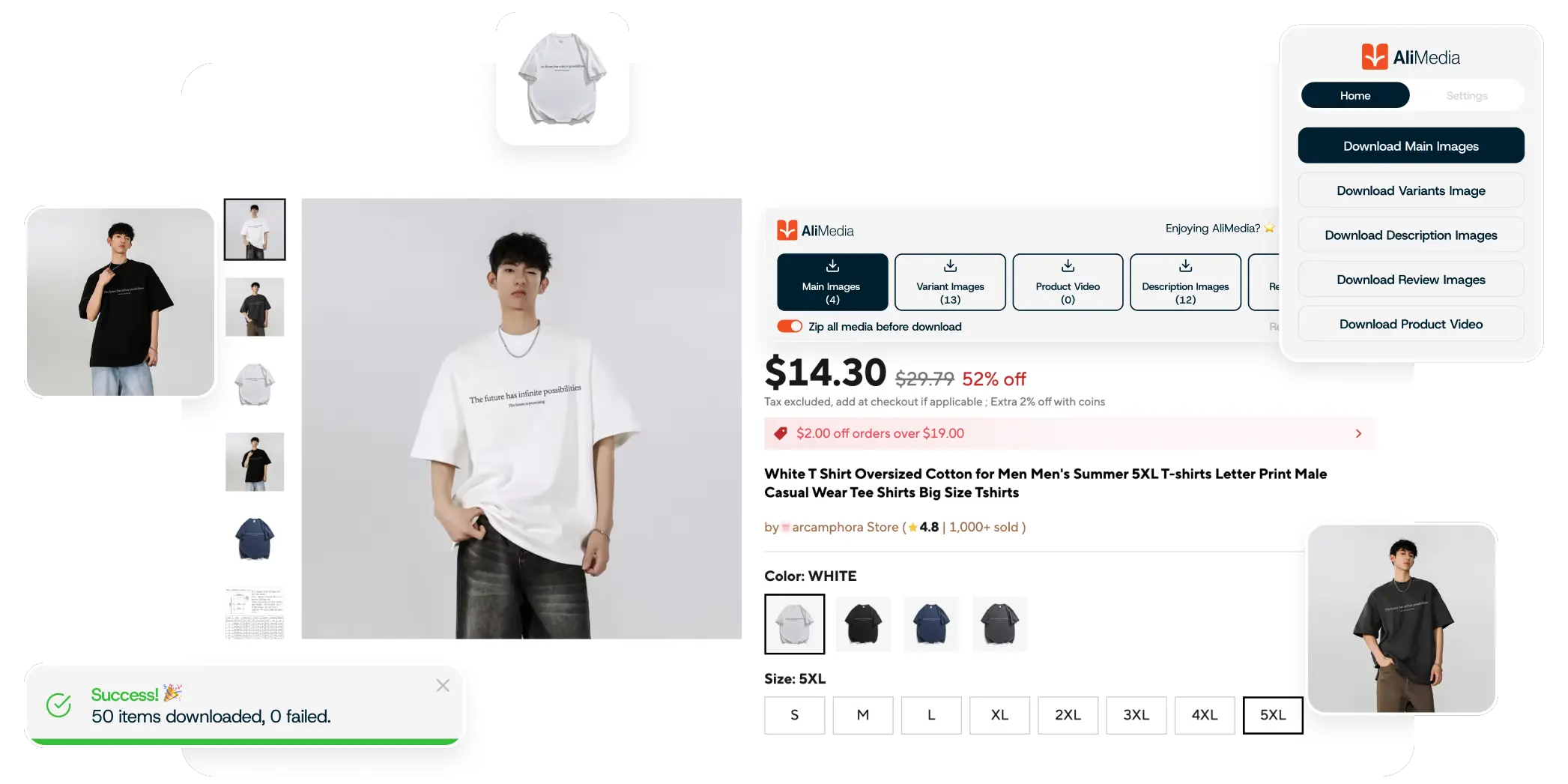
How AliMedia Works
Simple 3-step process to download product mediaInstall the Extension
Add AliMedia to your Chrome browser from the Chrome Web Store. It's free, takes just a few seconds, and requires no registration.
Visit a Product Page
Navigate to any AliExpress or Alibaba product page. The extension automatically detects product pages and prepares download options.
Download with One Click
Click the AliMedia button to download all images and videos instantly. Files are organized by type and saved in high-quality JPG or PNG format.




Key AliMedia features
Official extension since 2019
Unmatched image quality

Download all product image with single click

Images separated to types

Download product videos effortlessly

Lightning-fast, unlimited downloads

Save all images as .ZIP for easy storage
FAQ
Common questions about downloading images and videos from AliExpress and Alibaba with AliMedia.
Yes! AliMedia allows you to download all product images from an AliExpress product page with a single click. You can select individual images or use the "Download All" option to get every image at once, saving you time compared to downloading them one by one.
Yes, AliMedia works with both AliExpress and Alibaba product pages. You can download images and videos from either platform using the same extension. Simply navigate to a product page on Alibaba.com and use AliMedia to download the media files.
Yes, AliMedia can download product videos from both AliExpress and Alibaba product pages. Videos are included in the download options alongside images, allowing you to get all media content from a product page in one go.
Yes, AliMedia can download variation images that show different colors, sizes, or styles of a product. These images are typically available on product pages and will be included when you download all images or select them individually.
Yes, AliMedia can download images that appear in product descriptions. When you use the "Download All" feature, it captures images from various sections of the product page, including those embedded in the description area.
AliMedia focuses on downloading product images and videos from the main product page. Review images uploaded by customers may not always be included, as they are typically loaded dynamically and may require different access methods.
AliMedia downloads images in their original quality as available on the product page. This typically means high-resolution images suitable for use in your online store or marketing materials. The quality depends on what the seller has uploaded to AliExpress or Alibaba.
AliMedia automatically forces the server to return high-quality JPG or PNG images instead of WEBP format. This means you'll get images in standard formats (JPG or PNG) that are ready to use without any conversion needed. The extension requests the original high-quality versions directly from the server.
Yes! AliMedia offers the option to download all images as a ZIP file, making it easy to organize and store your downloads. This is especially useful when downloading many images, as it keeps everything organized in a single compressed file.
Downloads are saved to your browser's default download folder (usually your "Downloads" folder). Images are typically organized by type and named based on the product information. The exact naming and organization may vary, but AliMedia aims to keep files organized and easy to find.
No, AliMedia operates locally in your browser and does not store your personal data or track your browsing activity. Downloads happen directly in your browser without sending data to external servers. We only collect information if you contact us directly for support. See our Privacy Policy for more details.
If the download button doesn't appear, it may be because you're not on a valid AliExpress or Alibaba product page, the page hasn't fully loaded, or there's a browser compatibility issue. Try refreshing the page, ensuring you're on a product listing page (not a category or search page), and check that the extension is enabled in your browser settings.
No, AliMedia is not affiliated with, endorsed by, or connected to Alibaba Group, AliExpress, or Alibaba. We are an independent third-party tool that helps users download media from publicly available product pages. "Alibaba," "AliExpress," and related trademarks are the property of their respective owners. See our Disclaimer for more information.
Still have questions?
Our satisfied users
Preferred by Over 80,000 Dropshippers
“Super easy to use! I can download product images in seconds. A must-have for dropshippers!”

Mark T.
"Works flawlessly! No more screenshotting, just clean, high-quality images."

Linda R.
"Saves me so much time! AliMedia makes product sourcing a breeze."

Jake M.
"Simple, fast, and efficient. Exactly what I needed!"

Sophia L.
"Finally, a tool that actually works! Highly recommend."

Daniel C.
"The best AliExpress image downloader out there. Very smooth and easy to use!”

Emma B.
"I use this every day for my store. Huge time-saver!"

Tom W.
"No ads, no hassle—just one-click downloads. Love it!"

Olivia K.
"I use this every day for my store. Huge time-saver!"

Ryan D.